Técnicas de acabado de materiales
2 05 2013En la última clase se realizó la primera parte de exposición de trabajos.
Categories : Tecnicas de acabado de materiales
En la última clase se realizó la primera parte de exposición de trabajos.
Ingeniería inversa
SCANNER 3D PROFESSIONAL
De la idea a la realidad.
Open Technologies. es una empresa especializada en proyectar y realizar escáneres ópticos 3D.
Nuestro escáner 3D nos permite obtener con altísima precisión las superficies tridimensionales de los objetos escaneados, utilizando la tecnología de la luz estructurada ( PLS ).
Instrumento flexible, adapto a todos los usuarios. Completamente automatizado y seguro para el principiante que quiere ser productivo desde el
primer momento. Semiautomático para el usuario avanzado que quiere diversificar el trabajo.
Libre para el experto que quiere sacar el máximo provecho del instrumento en términos de complejidad y flexibilidad del trabajo de procesamiento

Instrumento abierto, configurable.
Compatible con una gran diversidad de instrumentos de modelado CAD y de elaboración de modelos 3D para la implementación completa de cualquier tipología de trabajo. Importando y exportando datos en formato standard (STL binario)
Instrumento libre, sin obligación de licencia anual.
Ningún coste fijo. Actualizaciones opcionales de software y hardware. Asistencia completa mediante teléfono y conexión remota efectuada por personal altamente cualificado.
ESPECIFICACIONES
Tecnologia de escaneado
Tiempo de escaneado elemento simple
Tiempo de escaneado Arcada integra
Precisión
Respetabilidad
Porcentaje de averías
Elemento de escaneo resolución individual
Completa resolución de escaneado de arcada
STL binario standard
Estéreo Activa Codificada a luz estructurada (2 cámaras, 1 proyector)
< 30 sec
< 180 sec
< 5 micras de cálculo en los modelos de implantes, confrontados con los
datos de posición obtenidos desde el palpador mecánico Zeiss
< 2 micras Estimación del 1% sobre 2500 casos de puentes sobre implantes > 120.000 triángulos
> 3.000.000 triángulos
Optical reVenge DENTAL nace de la experiencia de Open Technologies s.r.l. en el desarrollo de escáner de luz.
Desde los primeros años, Open Technologies ha buscado y encontrado la precisión en mecánica, joyería y en todos los sectores afines tras un largo período de investigación.
El equipo de investigación a desarrollado una tecnología abierta y vanguardista, para garantizar prestaciones elevadas en términos de precisión y de trabajo.
Optical Rev Eng, incorpora toda su tecnología, experiencia y conocimiento de desarrollo e intensa actividad en otros sectores donde la precisión, la eficacia y la práctica son requisitos clave.
Dado el pequeño tamaño del laboratorio medio, el producto está diseñado para permitir al técnico abordar todos los trabajos de digitalización y diseño.
El instrumento no está dedicado a un tipo de trabajo específico, garantiza al laboratorio resultados óptimos sobre prótesis cementadas, estructuras atornilladas o hibridas, de pequeñas o grandes dimensiones.
Se han realizado notables esfuerzos para realizar una metodología de trabajo que envuelve las fases del escaneado, como la toma de impresión, el colado del yeso, el diseño del CAD, el CAM, el fresado y la sinterización de trabajos de otra tipología.
Fuente: http://www.3dentalsystem.com/cad_escaner_revengdental.htm
Os muestro el funcionamiento de la Máquina de fabricación aditiva Rapman.
[politube2]55342:450:358[/politube2]
Nuevo libro de Steven Schmit
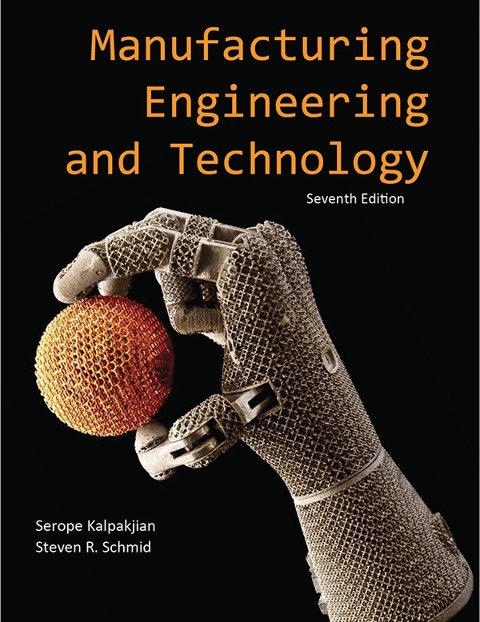
Mano de robot realizado con la EBM (fabricación aditiva)
Os pongo una web y la posibilidad de bajaros un programa de diseño y mecanizado que son libres e interesantes
Your CAD/CAM Solution
The top world resource on open source computer aided design and computer aided manufacturing software.
Here at www.heeks.net, you can download HeeksCNC, a CAD/CAM application for Windows or Linux that can help you produce the NC code for your milling machine. Many happy customers are already using HeeksCNC to boost their productivity.
See the news page for details of HeeksCNC.0.13.0
This software is totally free. You can modify it to suit your company’s needs. The NC code can be configured by editing files written in the popular «Python», a clear and powerful programming language.
How to get the software.
You can…
As HeeksCNC consists of several small libraries, it is a bit tricky to build. If you run into problems when installing or building, please come and ask for help at the discussion groups or on the IRC channel.
At www.heeks.net, we can provide your company with training and consultancy for HeeksCNC anywhere in the world.
For training and consultancy enquiries, please email us at sales@heeks.net


Os pongo un liknk interesante de fabricación aditiva.
Pagina interesante.

La impresión en 3D ha comenzado una revolución en la industria dental y de prótesis.
¿Veremos trasplantes de órganos imprimidos próximamente?
Quizás la aplicación más perturbadora (en el buen sentido) de la impresión 3D en el mundo de la medicina es “bioprinting”-la producción de órganos humanos para trasplante.
La tecnología implica la creación de tejidos y órganos de reemplazo que se imprimen capa por capa en una estructura tridimensional. Las piezas se fabrican a partir de material genético del receptor de órganos, y precisamente coincide con el tejido u órgano que van a sustituir. Pensad en esto: la piel, tráquea, vejigas, y las estructuras más complejas, como corazones, podrán imprimirse con un clic de ratón de ordenador.
Dado que estos órganos o tejidos impresos se fabrican a partir del propio paciente hay poco riesgo de una respuesta inmune, lo que disminuye la necesidad de utilizar los fármacos inmunosupresores, lo que a su vez mejora la calidad de vida del paciente que no se verá obligado a automedicarse de por vida.
Los avances en bioprinting han ido aumentando cada vez con mayor rapidez. Al igual que la carrera para llegar a la luna en una época anterior, el objetivo de bioprinting apareció como un objetivo muy lejano pero alcanzable, y el primer anuncio de bioprinter 3D fue desarrollado en 2009 por una compañía llamada bioprinting Organovo.
La compañía instalada en San Diego ha firmado un acuerdo de colaboración con varias compañías farmacéuticas, como Pfizer, y las principales instituciones de investigación, incluyendo la Harvard Medical School y el Consorcio de Stanford para la Medicina Regenerativa. Su principal mercado son las instituciones académicas para la investigación de enfermedades y las compañías farmacéuticas para las pruebas de medicamentos, aunque la compañía está buscando en los hospitales sus posibles futuros clientes.
Hasta la fecha, Novogen imprime sencillos tejidos como vasos de la piel, parches de músculo cardiaco, y sangre, aunque la compañía prevé imprimir órganos sólidos como el corazón y el hígado dentro de una generación.
Otro proyecto de 3D bioprinter también se está llevando a cabo en Wake Forest. En 2003, el Dr. Atala y sus colegas publicaron este trabajo en Nature Biotechnology demostraron que sería factible diseñar riñones en miniatura, y estos riñones experimentales demostraron ser funcionales, capaces de filtrar la sangre y producir y diluir la orina. Wake Forest en la actualidad ha conseguido diseñar modelos aún más sofisticados de estos riñones en miniatura. El objetivo es hacer que estos riñones funcionen a mayor tamaño al igual que conseguir otros órganos sólidos como el corazón y el hígado, o el útero.
“Otras aplicaciones que también han demostrado ser prometedoras son el oído, los músculos y la interfaz del cartílago-hueso”, dice el Dr. Atala.

Si algunos pueden hacer un arma o un coche con una impresora 3D, ¿Por qué no hacerte un vestido tan ajustado a tus medidas que te quede como un guante? Es la próxima revolución.
Desde hace dos años no dejan de salir noticias sobre lo que se puede hacer con una impresora 3D. Su filosofía es similar a las de toda la vida, sólo que aquí usan nuevos materiales, en general plásticos, en vez de papel. Y, capa a capa, van dando forma a un nuevo objeto.
El último es un espectacular vestido que los diseñadores Michael Schmidt y Francis Bitonti han hecho para la reina del burlesque Dita Von Teese. A tenor de las fotografías que se hizo en el hall del hotel Ace de New York esta semana, le queda como un guante. No le hizo falta ningún arreglo. Otra cosa es que se le pudiera dar alguna puntada más.
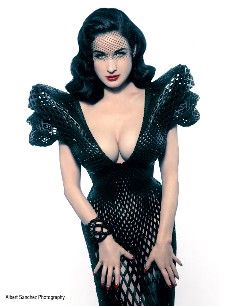
El «vestido de Dita», así lo han bautizado, cuenta con casi 3.000 piezas únicas, lo que lo convierte, dicen sus creadores, en el primero completamente articulado que se imprime con una de estas nuevas impresoras. También permitían que el traje se ajustara perfectamente a las formas de la diva. Los diseñadores se aprovecharon de la tecnología para tomar las medidas exactas de la Von Teese y, con esos datos, dejaron trabajar a la impresora.
Los diseñadores contaron con la empresa Shapeways para imprimir el vestido con capas de nylon para hacer hasta 17 grandes piezas, como en las antiguas armaduras. Después lo entintaron en negro y le dieron un laqueado. Por último, y para dar aún más glamour y exclusividad a esta creación, superpusieron unos 12.000 cristales de Swarovski.
En un guiño a la ciencia, el patrón del vestido sigue lo que se llama la sucesión Fibonnacci. Se tata de una secuencia de números naturales que empiezan con el 0 y el 1 y en la que el siguiente es siempre la suma de los dos anteriores. Planteada por un matemático italiano en el siglo XIII, es un patrón que se observa en la naturaleza (la distribución de las ramas de los árboles, por ejemplo) y tiene aplicaciones en informática.
Con el vestido de Dita, los diseñadores quieren mostrar las posibilidades que las impresoras 3D tiene para el diseño en el futuro más inmediato. Usadas ya para crear tejidos humanos, armas y hasta una casa, el presidente Obama dijo en un reciente discurso que estas máquinas serán las protagonistas de la nueva revolución. También en la ropa que llevaremos.
No es nada descabellado. En la reciente Semana de la Moda de París, el creador Iris van Herpen llevó hasta la pasarela su colección Voltage, una serie de 12 vestidos realizados con impresoras 3D. No pasará mucho tiempo en que esas impresoras puedan comprarse, ya las hay por menos de 1.000 euros, y con el patrón en formato digital, imprimr en casa lo último de la moda. Seguro que igual que se descargan películas o música de internet, descargaremos la ropa.
Aquí podéis ver parte del proceso de creación
* Gracias a The Verge por descubrirme esta fascinante historia.
funete: http://www.elmundo.es/yodona/blogs/techtaciones/2013/03/08/hazte-tu-vestido-a-medida-con-una.html
Nuestar estancia en el congreso BRAMAT 2013, permitó presentar una ponencia interesante.
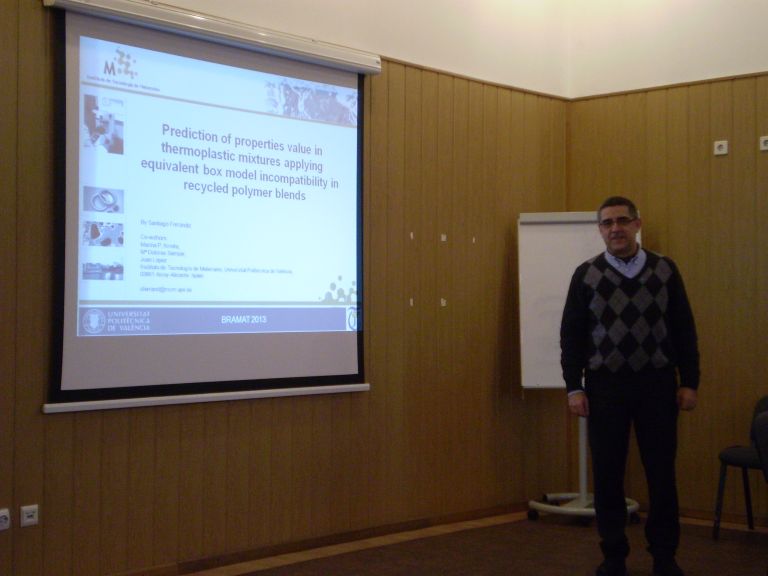
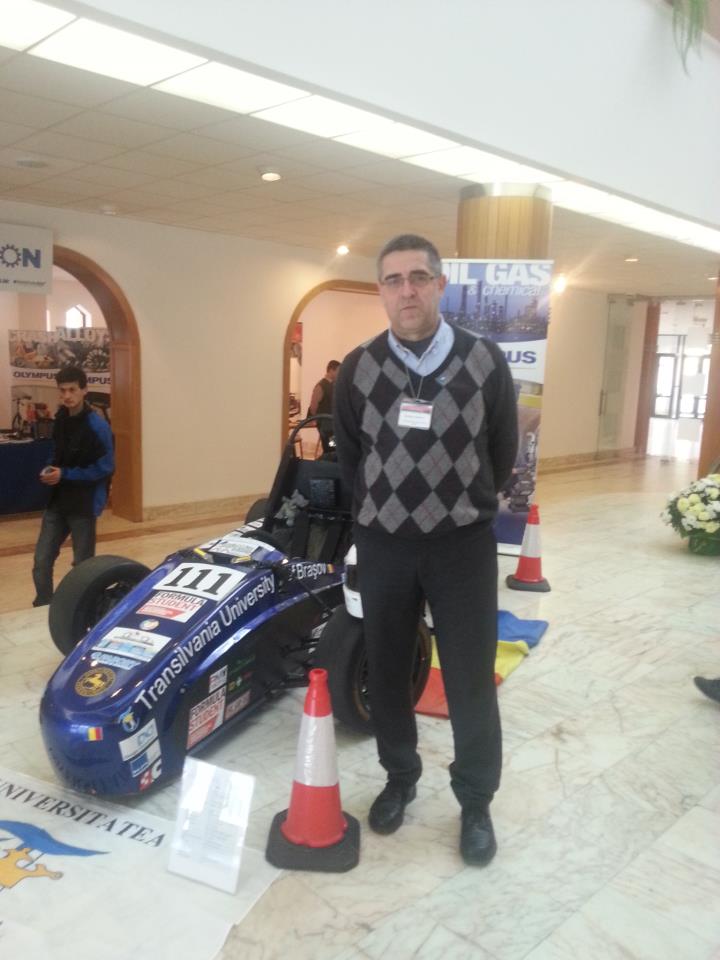
por Juan Castromil @castromil el día 03/03/2013

Mientras vivimos la prehistoria de las impresoras 3D algunos visionarios ya están trabajando en los objetos 4D. A los ya clásicos largo, alto y ancho se le suma la cuarta dimensión, el tiempo. Por extraño que parezca se trata de objetos diseñados para cambiar de forma según pasa… el tiempo -y no precisamente por desgaste o rotura- sino para cumplir una función específica.
Este nuevo tipo de objetos que se adaptarán al entorno cambiado su forma como si estuviesen programados, han sido presentados por Skylar Tibbits del MIT Self Assembly Lab en la conferencia TED. En el ejemplo mostrado durante la presentación era una pequeña tubería que cambiaba de forma al ser introducida en agua. En este caso, el agua actúa como una especie de catalizador para activar el cambio de forma del objeto, pero esto puede ocurrir por otros muchos motivos.
Es como si la fabricación/impresión de objetos 4D sólo fuese la mitad del proceso. La otra mitad finaliza cuando el objeto adopta la forma final para su función. Estos materiales inteligentes pueden suponer una revolución en el futuro, siendo capaces de autorepararse cambiando de forma al detectar un fallo.
[vimeo 58840897 w=400 h=300]
+ info | wired
fuente: http://blogs.20minutos.es/clipset/el-futuro-de-la-impresion-3d-son-los-objetos-4d/